1
 2
 3
 4
 5
 6
 7
 8
 9
10
11
12
13
14
15
16
17
18
19
20
21
22
23
24
25
26
27
28
29
30
31
32
33
34
35
36
37
38
39
40
41
42
43
44
45
46
47
48
49
50
51
52
53
54
55
56
57
58
59
60
61
62
63
64
65
66
67
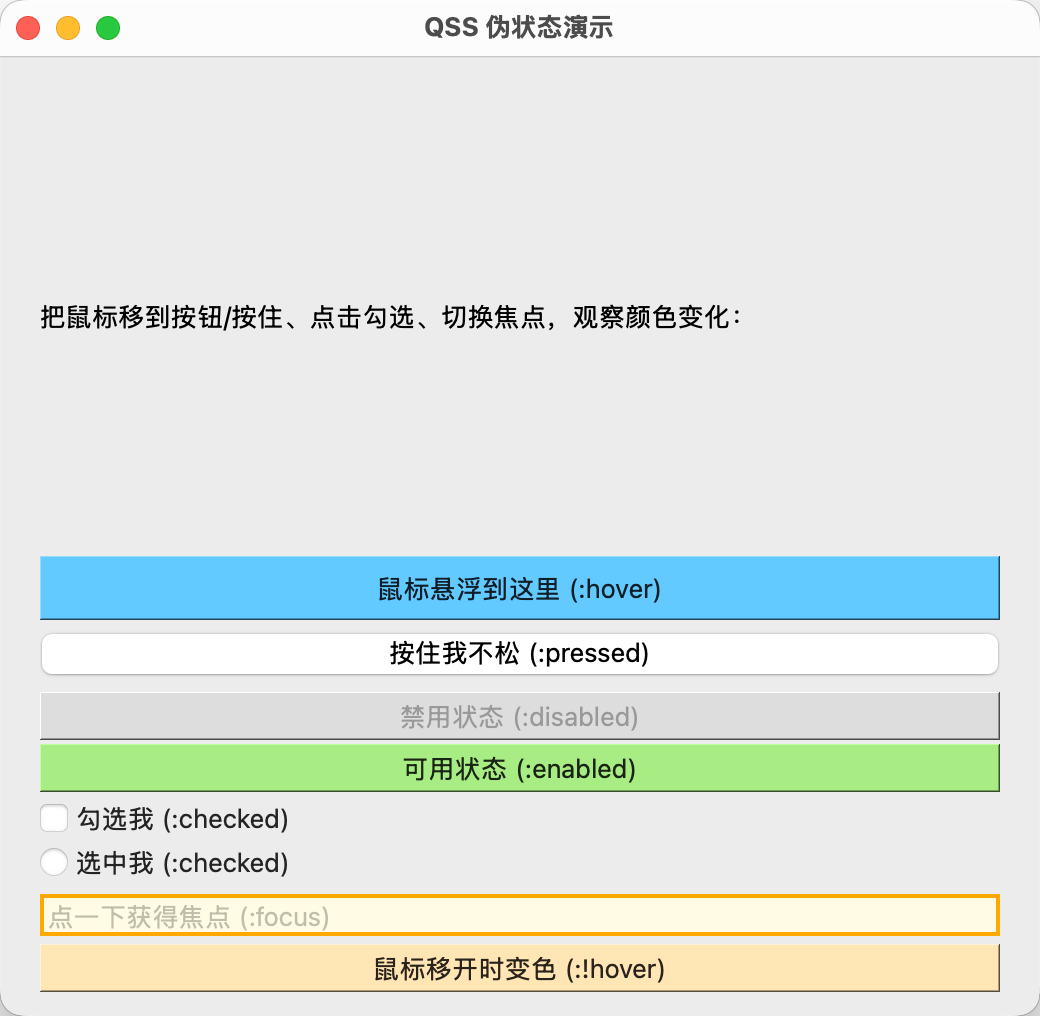
| import sys
from PySide6.QtWidgets import (
QApplication, QWidget, QVBoxLayout, QLabel,
QPushButton, QCheckBox, QRadioButton, QLineEdit,
)
class MyWindow(QWidget):
def __init__(self):
super().__init__()
self.setWindowTitle("QSS 伪状态演示")
self.resize(520, 480)
root = QVBoxLayout(self)
root.addWidget(QLabel("把鼠标移到按钮/按住、点击勾选、切换焦点,观察颜色变化:"))
# :hover —— 鼠标悬浮
btn_hover = QPushButton("鼠标悬浮到这里 (:hover)")
btn_hover.setObjectName("btn_hover")
# :pressed —— 鼠标左键按下未松开
btn_pressed = QPushButton("按住我不松 (:pressed)")
btn_pressed.setObjectName("btn_pressed")
# :disabled / :enabled —— 禁用 / 可用
btn_disabled = QPushButton("禁用状态 (:disabled)")
btn_disabled.setObjectName("btn_disabled")
btn_disabled.setEnabled(False)
btn_enabled = QPushButton("可用状态 (:enabled)")
btn_enabled.setObjectName("btn_enabled")
# :checked —— 勾选状态
chk = QCheckBox("勾选我 (:checked)")
chk.setObjectName("chk")
radio = QRadioButton("选中我 (:checked)")
radio.setObjectName("radio")
# :focus —— 获得输入焦点
line = QLineEdit()
line.setObjectName("line")
line.setPlaceholderText("点一下获得焦点 (:focus)")
# :!hover —— 取反:不在悬浮状态
btn_not_hover = QPushButton("鼠标移开时变色 (:!hover)")
btn_not_hover.setObjectName("btn_not_hover")
for w in (btn_hover, btn_pressed, btn_disabled, btn_enabled,
chk, radio, line, btn_not_hover):
root.addWidget(w)
self.setStyleSheet("""
QPushButton#btn_hover:hover        { background: #7ec8ff; }
QPushButton#btn_pressed:pressed    { background: #ff9f9f; }
QPushButton#btn_disabled:disabled  { background: #dddddd; color: #999999; }
QPushButton#btn_enabled:enabled    { background: #b7eb8f; }
QCheckBox#chk:checked,
QRadioButton#radio:checked         { color: #d4380d; font-weight: bold; }
QLineEdit#line:focus               { background: #fffbe6; border: 2px solid #faad14; }
QPushButton#btn_not_hover:!hover   { background: #ffe7ba; }
""")
app = QApplication(sys.argv)
window = MyWindow()
window.show()
sys.exit(app.exec())
|