1
  2
  3
  4
  5
  6
  7
  8
  9
 10
 11
 12
 13
 14
 15
 16
 17
 18
 19
 20
 21
 22
 23
 24
 25
 26
 27
 28
 29
 30
 31
 32
 33
 34
 35
 36
 37
 38
 39
 40
 41
 42
 43
 44
 45
 46
 47
 48
 49
 50
 51
 52
 53
 54
 55
 56
 57
 58
 59
 60
 61
 62
 63
 64
 65
 66
 67
 68
 69
 70
 71
 72
 73
 74
 75
 76
 77
 78
 79
 80
 81
 82
 83
 84
 85
 86
 87
 88
 89
 90
 91
 92
 93
 94
 95
 96
 97
 98
 99
100
101
102
103
104
105
106
107
108
109
110
111
112
113
114
115
116
117
118
119
120
121
122
123
124
125
| import sys
from PySide6.QtWidgets import (
QApplication, QMainWindow, QWidget, QVBoxLayout, QHBoxLayout,
QLCDNumber, QComboBox, QLineEdit, QPushButton, QLabel,
)
from PySide6.QtCore import QTimer, QTime
class MainWindow(QMainWindow):
def __init__(self):
super().__init__()
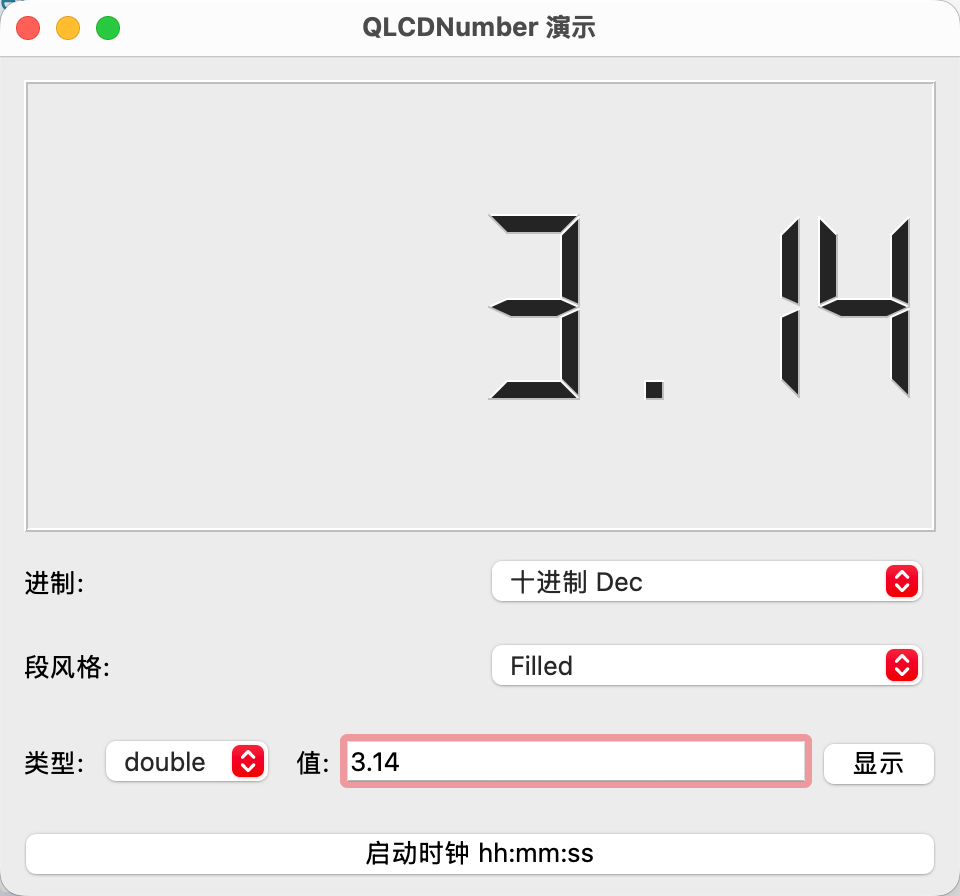
self.setWindowTitle("QLCDNumber 演示")
self.resize(480, 420)
central = QWidget()
self.setCentralWidget(central)
root = QVBoxLayout(central)
# ===== 显示屏:8 位,足够显示 hh:mm:ss =====
self.lcd = QLCDNumber()
self.lcd.setDigitCount(8)
self.lcd.setSegmentStyle(QLCDNumber.SegmentStyle.Outline)
self.lcd.display(0)
root.addWidget(self.lcd)
# ===== 进制(Dec / Hex / Oct / Bin) =====
mode_row = QHBoxLayout()
self.mode_combo = QComboBox()
self.mode_combo.addItems(["十进制 Dec", "十六进制 Hex", "八进制 Oct", "二进制 Bin"])
self.mode_combo.setCurrentText("十进制 Dec")
mode_row.addWidget(QLabel("进制:"))
mode_row.addWidget(self.mode_combo)
root.addLayout(mode_row)
# ===== 数码段风格(Flat / Filled / Outline) =====
style_row = QHBoxLayout()
self.style_combo = QComboBox()
self.style_combo.addItems(["Flat", "Filled", "Outline"])
self.style_combo.setCurrentText("Filled")
style_row.addWidget(QLabel("段风格:"))
style_row.addWidget(self.style_combo)
root.addLayout(style_row)
# ===== 三种赋值方式:int / double / str =====
val_row = QHBoxLayout()
self.type_combo = QComboBox()
self.type_combo.addItems(["int", "double", "str"])
self.val_input = QLineEdit("123")
btn_display = QPushButton("显示")
val_row.addWidget(QLabel("类型:"))
val_row.addWidget(self.type_combo)
val_row.addWidget(QLabel("值:"))
val_row.addWidget(self.val_input)
val_row.addWidget(btn_display)
root.addLayout(val_row)
# ===== 小时钟样式 hh:mm:ss =====
self.btn_clock = QPushButton("启动时钟 hh:mm:ss")
root.addWidget(self.btn_clock)
# ---- 信号连接 ----
self.mode_combo.currentTextChanged.connect(self.apply_mode)
self.style_combo.currentTextChanged.connect(self.apply_style)
btn_display.clicked.connect(self.display_value)
self.btn_clock.clicked.connect(self.toggle_clock)
# ---- 时钟用的定时器 ----
self.timer = QTimer()
self.timer.setInterval(1000)
self.timer.timeout.connect(self.show_clock)
self.apply_mode(self.mode_combo.currentText())
self.apply_style(self.style_combo.currentText())
self.display_value()
# ---------- 进制 ----------
def apply_mode(self, text):
mapping = {
"十进制 Dec": QLCDNumber.Mode.Dec,
"十六进制 Hex": QLCDNumber.Mode.Hex,
"八进制 Oct": QLCDNumber.Mode.Oct,
"二进制 Bin": QLCDNumber.Mode.Bin,
}
self.lcd.setMode(mapping[text])
# ---------- 数码段风格 ----------
def apply_style(self, text):
mapping = {
"Flat": QLCDNumber.SegmentStyle.Flat,
"Filled": QLCDNumber.SegmentStyle.Filled,
"Outline": QLCDNumber.SegmentStyle.Outline,
}
self.lcd.setSegmentStyle(mapping[text])
# ---------- 三种赋值方式 ----------
def display_value(self):
t = self.type_combo.currentText()
text = self.val_input.text().strip()
if t == "int":
self.lcd.display(int(text)) # 以当前进制显示整数
elif t == "double":
self.lcd.display(float(text)) # 显示小数(含小数点)
else: # str
self.lcd.display(text) # 直接显示字符串字符
# ---------- 小时钟 ----------
def toggle_clock(self):
if self.timer.isActive():
self.timer.stop()
self.btn_clock.setText("启动时钟 hh:mm:ss")
else:
self.show_clock()
self.timer.start()
self.btn_clock.setText("停止时钟")
def show_clock(self):
# 用字符串方式赋值,按 hh:mm:ss 显示当前时间
self.lcd.display(QTime.currentTime().toString("hh:mm:ss"))
app = QApplication(sys.argv)
window = MainWindow()
window.show()
app.exec()
|