从官网的标语就可以看出,Pinia 的设计之初就是要做为 Vue.js 最直观的状态管理组件,其特点包括:
特点细说
类型安全,类型自动推导
“类型安全,类型自动推导”需要在 “TypeScript” 的语境下才具有的特点,因为在普通 JavaScript 没有编译检查,编辑器所能提供的智能提示有限。
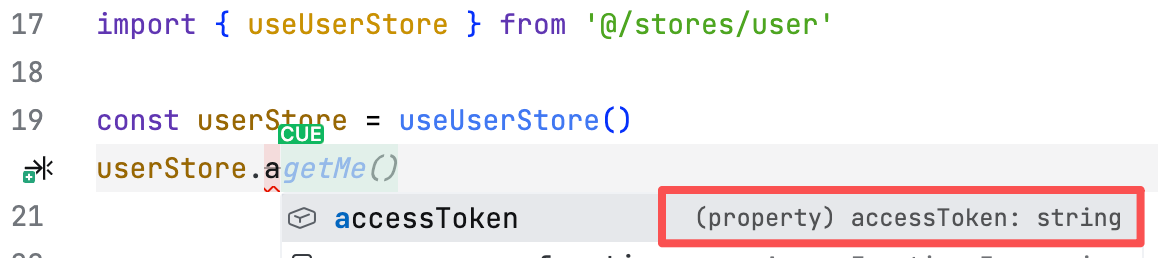
所以,TypeScript 项目下的能自动识别变量类型、函数返回值、store 结构。
比如我定义了一个 userStore,声明如下:
1
2
3
4
5
6
7
8
| export const useUserStore = defineStore('user', () => {
const accessToken = ref<string>('')
// ...
return {
accessToken,
// ...
}
})
|
使用时,编辑器可见变量类型:
模块化
模块化指的是可以全局的状态按不同的功能(模块)拆分成不同的 Store,如上面定义的 userStore。
现在我可以再加一个 platformStore,用于保存大模型平台的相关数据,目录结构可以是如下:
1
2
3
| stores/
├── user.ts # 用户信息
└── platform.ts # 系统设置
|
可扩展
可扩展指的是在注册 Pinia 时,通过一些插件、配置,修改 Pinia 的一些行为。
这里不作讨论,因为我目前也没写过,等后续使用到了,就再开一篇。
使用 Pinia
使用 Pinia 步骤大致如下:
- 安装 Pinia
- 全局注册 Pinia
- 编写 Store
- 使用 Store
本文的重点在于“编写 Store”和“使用 Store”,其余的则两三句带过,不作延伸。
安装 Pinia
全局注册 Pinia
在 main.ts 中注册 Pinia
1
2
3
4
5
6
7
8
| import { createApp } from 'vue'
import { createPinia } from 'pinia'
import App from './App.vue'
const app = createApp(App)
app.use(createPinia())
|
编写 Store
platform.ts 的代码骨架如下:
 1
 2
 3
 4
 5
 6
 7
 8
 9
10
11
12
13
| import { defineStore } from 'pinia'
export const usePlatformStore = defineStore('platform', () => {
// ==================== State ====================
// =================== Getters ===================
// =================== Actions ===================
return {
}
})
|
这里说明下 state、getters、actions 这 3 者的关系:
- state:保存数据
- getters:计算属性,通过 state 计算出来的值
- actions:修改 state 的方法
围绕数据的 state(存)、getters(算)、actions(改)
platform.ts 的完整代码如下:
 1
 2
 3
 4
 5
 6
 7
 8
 9
10
11
12
13
14
15
16
17
18
19
20
21
22
23
24
25
26
27
28
| /**
* 平台状态管理 Store
*/
import { defineStore } from 'pinia'
import { computed, ref } from 'vue'
import type { LLMPlatformItem } from '@/types/api/llm'
import { platformListApi } from '@/api/llm'
export const usePlatformStore = defineStore('platform', () => {
// ==================== State ====================
const platforms = ref<LLMPlatformItem[]>([])
// =================== Getters ===================
const platformLength = computed(() => platforms.value.length)
// =================== Actions ===================
async function loadPlatforms() {
const res = await platformListApi()
platforms.value = res.items
}
return {
platforms,
platformLength,
loadPlatforms,
}
})
|
- state、getters、actions 各一个
platforms 用于保存多个平台信息platformLength 计算保存的平台个数loadPlatforms 对接 API 获取平台信息并保存至 platforms
使用 Store
使用 platformStore 也非常简单,代码如下:
 1
 2
 3
 4
 5
 6
 7
 8
 9
10
11
12
13
14
15
16
17
18
19
20
21
22
23
24
25
26
27
28
29
30
31
32
33
| <template>
<!-- 页面代码 ... -->
</template>
<script setup lang="ts">
import { ref, onMounted } from 'vue'
import { usePlatformStore } from '@/stores/platform'
import type { LLMPlatformItem } from '@/types/api/llm'
import { staticFileUrl } from '@/utils/utils'
const platformStore = usePlatformStore()
const platforms = ref<LLMPlatformItem[]>([])
const selectedPlatform = ref<LLMPlatformItem | null>(null)
// 加载平台数据
onMounted(async () => {
await platformStore.loadPlatforms()
platforms.value = platformStore.platforms
// 默认选择第一个平台
if (platformStore.platformLength > 0) {
selectedPlatform.value = platformStore.platforms[0] || null
}
})
// 选择平台
function selectPlatform(platform: LLMPlatformItem) {
selectedPlatform.value = platform
}
</script>
<style>
// 样式代码 ...
</style>
|
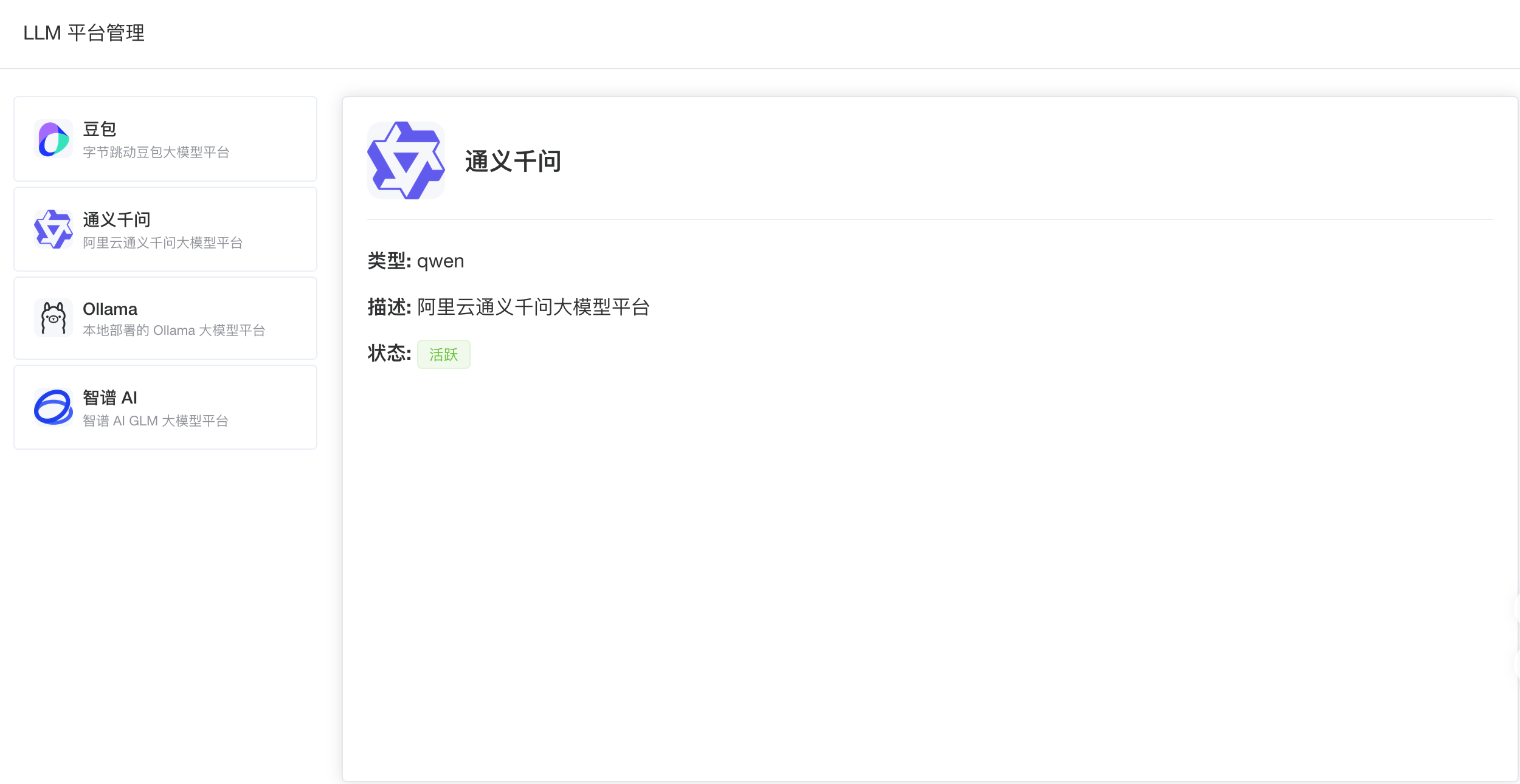
出来的效果如下:
上述的功能其实是不需要使用到状态管理的,直接在页面加载时请求平台列表接口即可。
但在后面的规划中,一个平台可以带有多个模型、一个模型又对应一个配置,而这些信息,我只想在修改时才发请求。
同时,还有一个对话页面也要使用到 platformStore。
总结
在 Vue 项目中使用 Pinia 是十分简单、方便的,我觉得难点更多是业务逻辑的切分出不同的状态管理模块。