5 天学习 Nuxt.js,主要以官方文档为主,结合 AI 辅助。在学习过程中,会记录要深入研究的知识点,并整理成文。
资源:
- 官方 - 资源
- 官方 - 样式
- 官方 - 路由
资源
Nuxt 提供两种方式管理资源(静态 / 待处理):
- public/ 目录下的内容部署在服务根目录,不经过构建工具处理
- app/assets/ 目录存放所有需要构建工具处理的静态资源
public/ 目录
public/ 目录是应用静态资源的公共服务目录,可以使用公开的 URL 访问。在应用中,可以直接使用根目录 / 进行访问。
在 public/ 目录下放一张 png 图片,叫 ai-assistant.png,在组件或页面访问方式如下:
1
2
3
4
5
| <template>
<div>
<img src="/ai-assistant.png" alt="AI Assistant" />
</div>
</template>
|
app/assets/ 目录
app/assets/ 目录存放需要由构建工具(Vite/Rollup/Webpack)处理的静态文件,存储的文件类型包括:
- 样式文件:.css、.scss、.less 等
- 字体文件:.ttf、.woff、.woff2 等
- 图片/媒体文件
- 其它需要编译的资源
在代码中使用 ~/assets/ 路径进行资源引用。如在 app/assets/ 目录创建 css/app.scss 文件:
1
2
3
| body {
background-color: #a2a2a2;
}
|
1
2
3
| <style lang="scss">
@use '~/assets/css/app.scss';
</style>
|
在项目要安装 scss 预处理器依赖,命令为 pnpm add -D sass 。
scss 中的 @import 在 3.0.0 之后将被移除,使用最新 @use。
样式
样式文件最合适的存放位置是 app/assets/ 目录,如上一个示例中的 app/assets/css/app.scss ,在代码使用:
1
2
3
4
5
6
7
| <style lang="scss">
@use '~/assets/css/app.scss';
</style>
<script>
import '~/assets/css/app.scss';
</script>
|
在 Nuxt 配置文件,可以通过 css 字段,将样式应用到全局,如下:
1
2
3
4
| // nuxt.config.ts
export default defineNuxtConfig({
css: ['~/assets/css/app.scss'],
})
|
字体文件
将字体文件 far_away_galaxy.ttf 放在 public/font/ 目录,并在 app/assets/css/app.scss 中添加:
1
2
3
4
5
6
| @font-face {
font-family: 'Far Away Galaxy';
src: url("/fonts/far_away_galaxy.ttf"); // 字体文件路径
font-weight: normal;
font-style: normal;
}
|
在组件中使用该字体,如下:
 1
 2
 3
 4
 5
 6
 7
 8
 9
10
11
12
13
| <template>
<div>
<h1 class="font-far-away-galaxy">Far Away Galaxy</h1>
</div>
</template>
<style lang="scss">
@use '~/assets/css/app.scss';
.font-far-away-galaxy {
font-family: 'Far Away Galaxy';
}
</style>
|
NPM 分发的样式
若通过包管理器下载了样式,如:
1
| $ pnpm install animate.css
|
则在代码按以下方式使用:
1
2
3
4
5
6
7
| <script>
import 'animate.css'
</script>
<style>
@use url("animate.css");
</style>
|
当然,也可以在 Nuxt 配置文件中使用。
外部样式表
可以在 Nuxt 配置文件中为
标签设置外部样式表,如:
1
2
3
4
5
6
7
| export default defineNuxtConfig({
app: {
head: {
link: [{ rel: 'stylesheet', href: 'https://cdnjs.cloudflare.com/ajax/libs/animate.css/4.1.1/animate.min.css' }],
},
},
})
|
组合式函数动态添加样式
使用组合式函数 useHead 为页面动态添加外部样式,如:
1
2
3
4
5
6
7
| <script setup lang="ts">
useHead({
link: [
{ rel: 'stylesheet', href: 'https://cdnjs.cloudflare.com/ajax/libs/animate.css/4.1.1/animate.min.css' }
],
})
</script>
|
使用 Nitro render:html hook
创建服务端插件 server/plugins/animate-css.ts ,代码如下:
1
2
3
4
5
| export default defineNitroPlugin((nitroApp) => {
nitroApp.hooks.hook('render:html', (html) => {
html.head.push('<link rel="stylesheet" href="https://cdnjs.cloudflare.com/ajax/libs/animate.css/4.1.1/animate.min.css" />')
})
})
|
使用 render:html hook。
引入外部样式表会阻塞页面的渲染,所以需要在浏览器进行页面渲染前加载和处理。
单文件组件样式
在组件文件的样式块中,可以直接使用写 CSS 或预处理样式代码,如:
 1
 2
 3
 4
 5
 6
 7
 8
 9
10
11
12
13
| <style lang="scss">
@use '~/assets/css/app.scss';
$h1-color: #dcddcd;
h1 {
color: $h1-color;
}
.font-far-away-galaxy {
font-family: 'Far Away Galaxy';
}
</style>
|
类和样式绑定
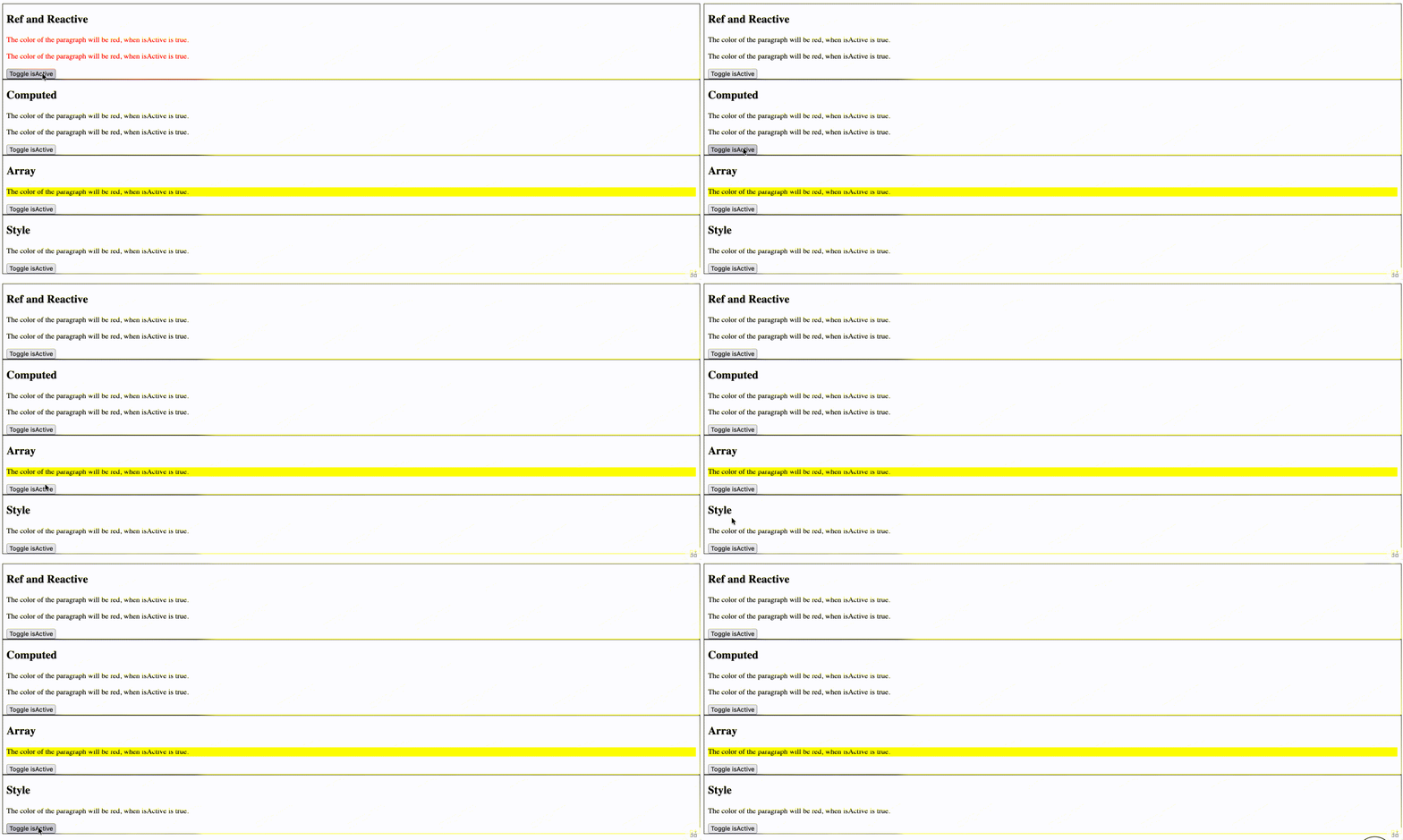
利用 SFC 功能为组件设计类和实现样式绑定,可以有以下 4 种代码编写方式。
Ref 和 Reactive
 1
 2
 3
 4
 5
 6
 7
 8
 9
10
11
12
13
14
15
16
17
18
19
20
21
22
23
24
25
26
27
28
| <template>
<div class="container">
<h2>Ref and Reactive</h2>
<p :class="{ active: isActive }">The color of the paragraph will be red, when isActive is true.</p>
<p :class="classObject">
The color of the paragraph will be red, when isActive is true.
</p>
<button @click="isActive = !isActive">Toggle isActive</button>
</div>
</template>
<style scoped lang="scss">
.container {
border: 1px solid #000;
padding: 0 8px;
}
.active {
color: red;
}
</style>
<script setup lang="ts">
const isActive = ref(false)
const classObject = reactive({
active: isActive,
})
</script>
|
Computed
 1
 2
 3
 4
 5
 6
 7
 8
 9
10
11
12
13
14
15
16
17
18
19
20
21
22
23
24
25
26
27
28
| <template>
<div class="container">
<h2>Computed</h2>
<p :class="{ active: isActive }">The color of the paragraph will be red, when isActive is true.</p>
<p :class="classObject">
The color of the paragraph will be red, when isActive is true.
</p>
<button @click="isActive = !isActive">Toggle isActive</button>
</div>
</template>
<style scoped lang="scss">
.container {
border: 1px solid #000;
padding: 0 8px;
}
.active {
color: red;
}
</style>
<script setup lang="ts">
const isActive = ref(false)
const classObject = computed(() => ({
active: isActive.value,
}))
</script>
|
Array
 1
 2
 3
 4
 5
 6
 7
 8
 9
10
11
12
13
14
15
16
17
18
19
20
21
22
23
24
25
26
27
28
29
| <template>
<div class="container">
<h2>Array</h2>
<p :class="[{ active: isActive }, 'highlight']">
The color of the paragraph will be red, when isActive is true.
</p>
<button @click="isActive = !isActive">Toggle isActive</button>
</div>
</template>
<style scoped lang="scss">
.container {
border: 1px solid #000;
padding: 0 8px;
}
.active {
color: red;
}
.highlight {
background-color: yellow;
}
</style>
<script setup lang="ts">
const isActive = ref(false)
</script>
|
Style
 1
 2
 3
 4
 5
 6
 7
 8
 9
10
11
12
13
14
15
16
17
18
19
20
| <template>
<div class="container">
<h2>Style</h2>
<p :style="{ color: isActive ? 'red' : 'initial' }">
The color of the paragraph will be red, when isActive is true.
</p>
<button @click="isActive = !isActive">Toggle isActive</button>
</div>
</template>
<style scoped lang="scss">
.container {
border: 1px solid #000;
padding: 0 8px;
}
</style>
<script setup lang="ts">
const isActive = ref(false)
</script>
|

v-bind
v-bind 函数允许在样本式引用 JavaScript 的变量和表达式,绑定是动态的,变量值发生变化,则样式也会调整,如:
 1
 2
 3
 4
 5
 6
 7
 8
 9
10
11
12
13
14
15
16
17
18
19
20
21
22
23
24
| <template>
<div class="container">
<h2>VBind</h2>
<p class="active"">
The color of the paragraph will be red, when isActive is true.
</p>
<button @click="activeColor = activeColor === 'red' ? 'blue' : 'red'">Toggle activeColor</button>
</div>
</template>
<style scoped lang="scss">
.container {
border: 1px solid #000;
padding: 0 8px;
}
.active {
color: v-bind(activeColor);
}
</style>
<script setup lang="ts">
const activeColor = ref('red')
</script>
|
CSS 模块注入的 $style 变量
带 module 标识的 CSS 样式,并使用 $style 变量在模板中使用。
 1
 2
 3
 4
 5
 6
 7
 8
 9
10
11
12
13
14
15
16
17
18
19
20
21
22
23
24
| <template>
<div class="container">
<h2>Style Variable</h2>
<p :class="$style.active">
The color of the paragraph will be red, when isActive is true.
</p>
<button @click="activeColor = activeColor === 'red' ? 'blue' : 'red'">Toggle activeColor</button>
</div>
</template>
<style scoped module lang="scss">
.container {
border: 1px solid #000;
padding: 0 8px;
}
.active {
color: v-bind(activeColor);
}
</style>
<script setup lang="ts">
const activeColor = ref('red')
</script>
|
路由
FIle System Router:文件系统路由
app/pages/ 目录
页面
Nuxt 会为app/pages/ 目录的每一个 Vue 文件创建一个对应的 URL,使用动态导入的方式显示文件内容,并利用代码拆分技术,按需执行 JavaScript。
Nuxt 的路由基于 vue-router,通过约定的命名规范来构建文件系统,如:
1
2
3
4
5
| -| pages/
---| about.vue
---| index.vue
---| posts/
-----| [id].vue
|
则对应的路由配置如:
 1
 2
 3
 4
 5
 6
 7
 8
 9
10
11
12
13
14
15
16
| {
"routes": [
{
"path": "/about",
"component": "pages/about.vue"
},
{
"path": "/",
"component": "pages/index.vue"
},
{
"path": "/posts/:id",
"component": "pages/posts/[id].vue"
}
]
}
|
导航
组件会渲染一个 标签,Nuxt 会自动提前获取链接页面的组件和相关数据,从而实现更好的体验。
 1
 2
 3
 4
 5
 6
 7
 8
 9
10
11
12
13
| <template>
<div class="container">
<h2>Use Nuxt Link</h2>
<NuxtLink to="/">Home</NuxtLink>
</div>
</template>
<style scoped lang="scss">
.container {
border: 1px solid #000;
padding: 0 8px;
}
</style>
|
路由参数
useRoute 组合式函数,可以在 <script setup> 块中使用,或者在 Vue 组件的 setup() 方法中访问路由的相关信息。
1
2
3
4
5
| <script setup lang="ts">
const route = useRoute()
console.log(route.params.id)
</script>
|
路由中间件
路由中间件不同服务端中间件,运行在前端逻辑中,有 3 种类型:
- 匿名路由中间件:直接在使用的页面中定义
- 命名路由中间件:放置在
app/middleware/ 目录中,在页面中使用会异步自动导入 - 全局路由中间件:放置在
app/middleware/ 目录,以 .global 后续结尾,在每次路由变更时自动运行
在 app/middleware/ 目录中定义 logger.ts ,内容如下:
1
2
3
4
| export default defineNuxtRouteMiddleware((to, from) => {
console.log('to', to)
console.log('from', from)
})
|
在页面中使用:
1
2
3
4
5
| <script setup lang="ts">
definePageMeta({
middleware: 'logger',
})
</script>
|
路由验证
在页面元数据定义中,可以声明 validate 属性,该属性值是一个函数,函数的传参为当前路由,返回 boolean 值,如:
1
2
3
4
5
6
7
| <script setup lang="ts">
definePageMeta({
validate (route) {
return typeof route.params.id === 'string' && /^\d+$/.test(route.params.id)
},
})
</script>
|
总结
- 掌握了 Nuxt 管理资源的两种方式(约定)
- 列举了 Nuxt 页面使用样式的方式,以及单文件组件中通过数据响应控制样式
- 学习了 Nuxt 路由相关的知识,包括导航、参数、路由中间件、路由验证